
Unlock Advanced Insights with PowerGraph Sankey
PowerGraph Sankey for Power BI: Advanced Flow Visualization
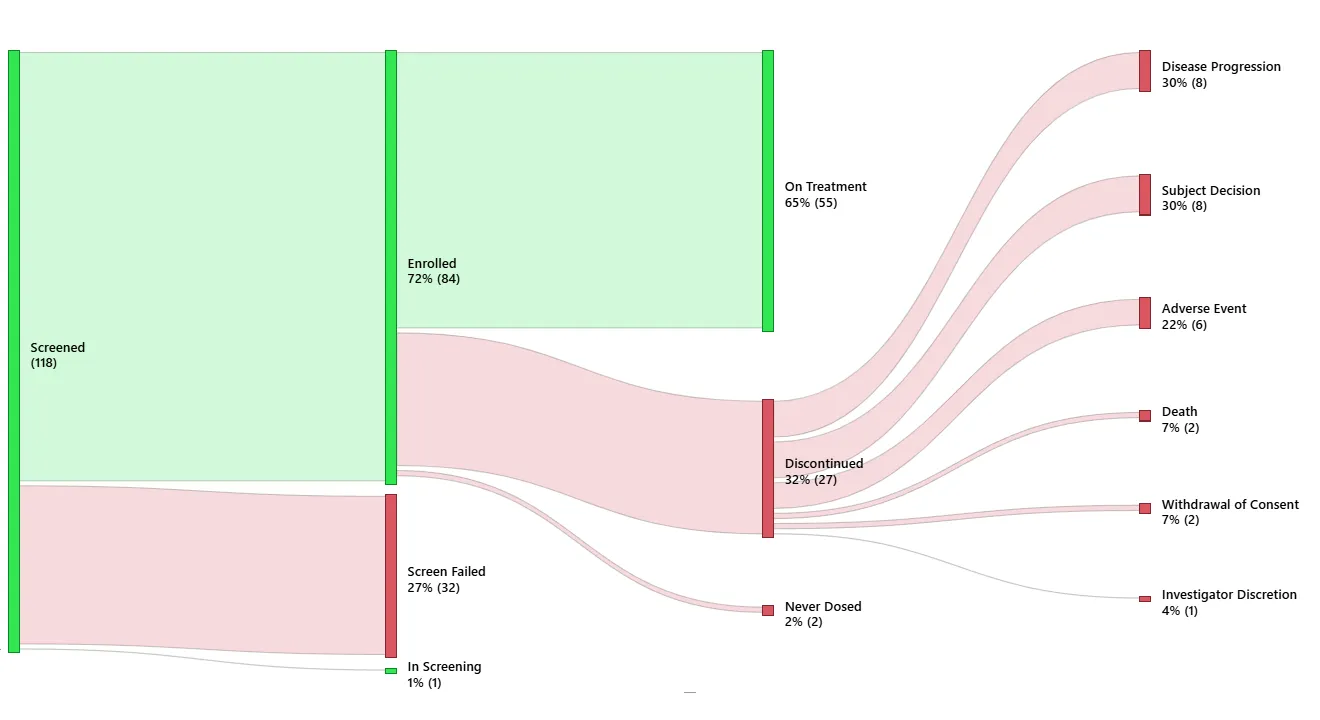
Discover the power of dynamic, interactive Sankey diagrams to enhance your data storytelling. With advanced sorting, labeling, and customization, transform your data into actionable insights.
Experience seamless integration with Power BI for enhanced data analysis.
Interactive Features
Utilize dynamic filtering and cross-filtering to focus on key data flows.
Explore Key Features of PowerGraph Sankey
Sort by Value
Automatically arrange nodes and flows in ascending or descending order for clearer data representation.
Enhanced Node Labeling
Display node labels with counts and percentages for comprehensive insights.
Dynamic Data Filtering
Achieve seamless data exploration by enabling Sankey to cross-filter (and be filtered by) other visuals.
Your Questions Answered
Find answers to common queries about the PowerGraph Sankey visual, including installation, compatibility, and support options.
How do I install the PowerGraph Sankey visual?
The PowerGraph Sanky visual for Power BI will be availble on Microsoft AppSource soon. To get an evaluation copy now, email us at [email protected]
Is the PowerGraph Sankey compatible with all versions of Power BI?
Yes, the PowerGraph Sankey visual is compatible with all updated versions of Power BI that support custom visuals. Ensure your Power BI is updated to the latest version for optimal performance.
What support options are available for PowerGraph Sankey users?
We offer comprehensive support through email to assist with any issues or questions you may have.
Can I customize the PowerGraph Sankey visual to fit my needs?
Absolutely! The PowerGraph Sankey visual offers extensive customization options, including node and flow sorting, labeling, and color schemes, to tailor the visual to your specific requirements.
Does the PowerGraph Sankey support dynamic filtering?
Yes, with properly modelled data the PowerGraph Sankey visual supports dynamic filtering, allowing you to interactively explore your data and uncover insights with ease.
How can I provide feedback or suggest features for PowerGraph Sankey?
We welcome feedback and feature suggestions through our website’s contact form or by email: [email protected]. Your input helps us improve and enhance our products.