
PowerGraph Sankey for Power BI
Advanced flow visualization: dynamic, interactive Sankey diagrams with sorting, labeling and customization that sharpen your data storytelling.
What it does for your team
The PowerGraph Sankey turns flows in your data into clear, interactive diagrams inside Power BI, so you can see where volume goes and act on it.
Tell the story of your data
Show how quantities move between stages or categories in one readable picture.
Focus on the flows that matter
Filter and cross-filter to zero in on the key data flows.
Read it at a glance
Sorted nodes and clear labels make even complex flows easy to follow.
Fits into Power BI
Works alongside your other visuals for richer data analysis.
Key features
-
Sort by value
Arrange nodes and flows in ascending or descending order for a clearer picture.
-
Enhanced node labels
Show node labels with counts and percentages.
-
Dynamic data filtering
The Sankey cross-filters, and is filtered by, other visuals on the page.
-
Customization
Tailor node and flow sorting, labeling and color schemes to your needs.
Setting it up? Read the Sankey user guide
Built into our clinical trial reporting
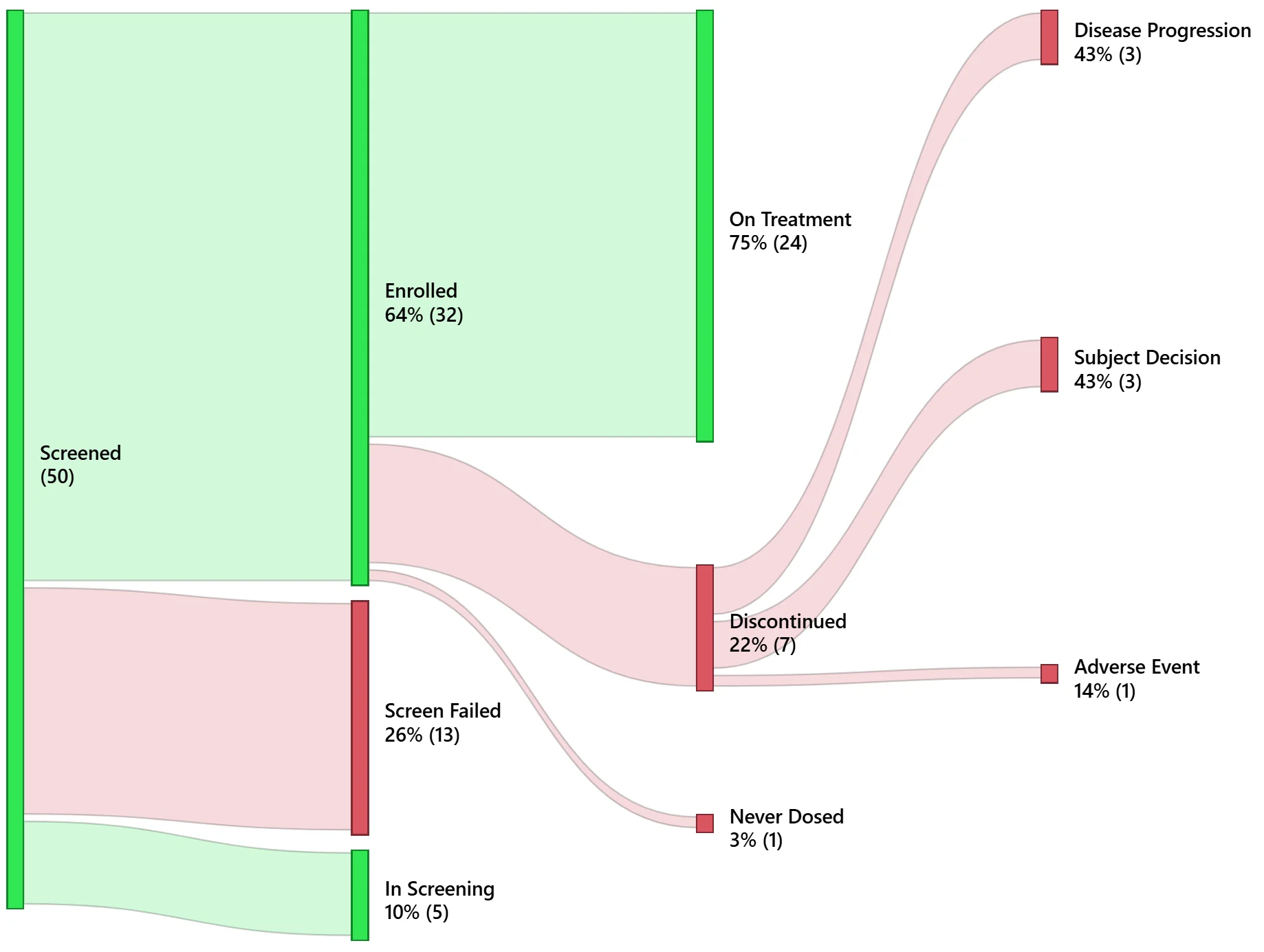
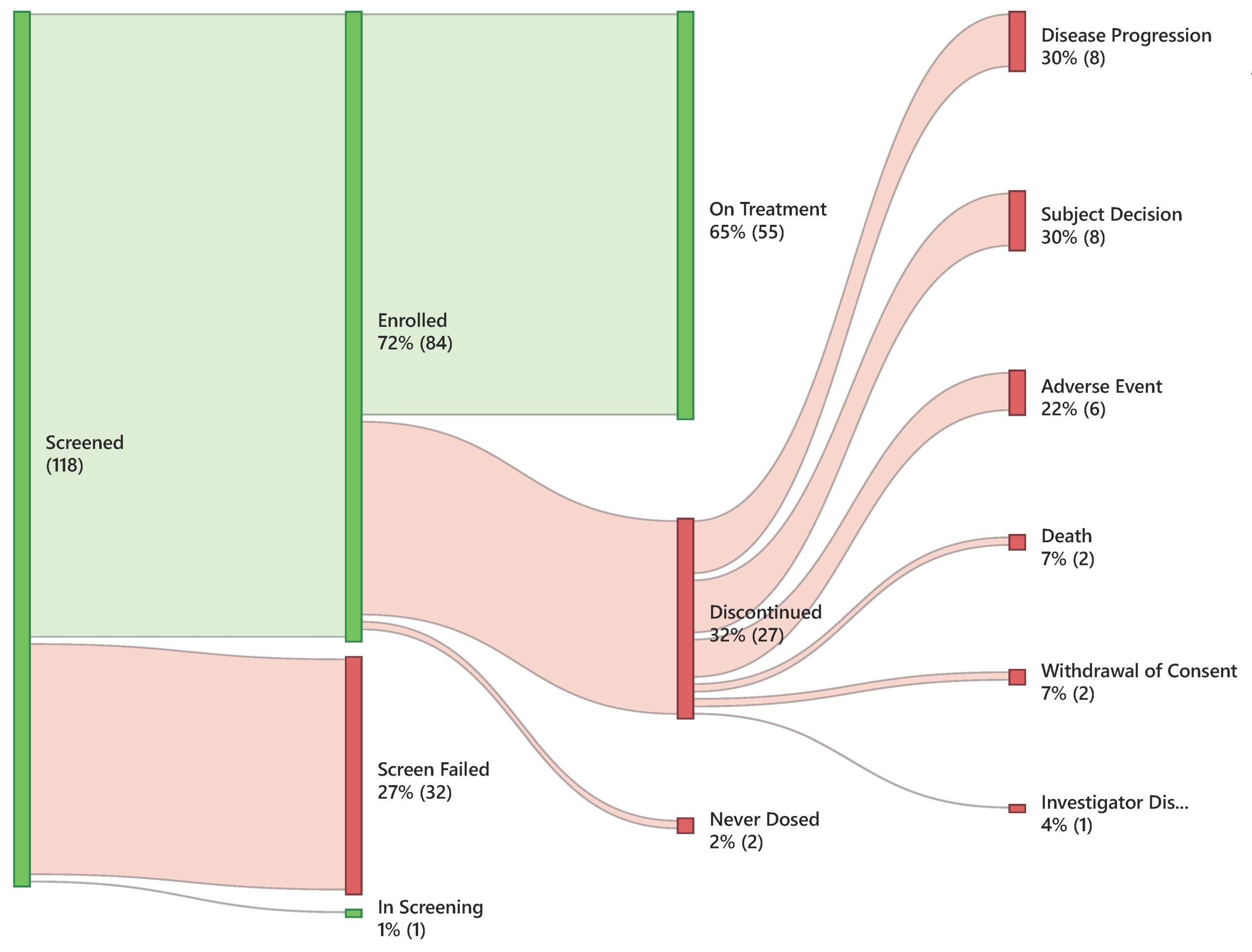
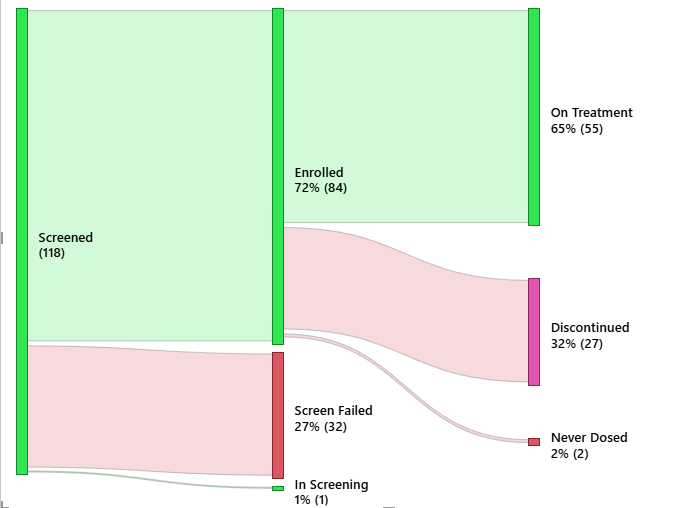
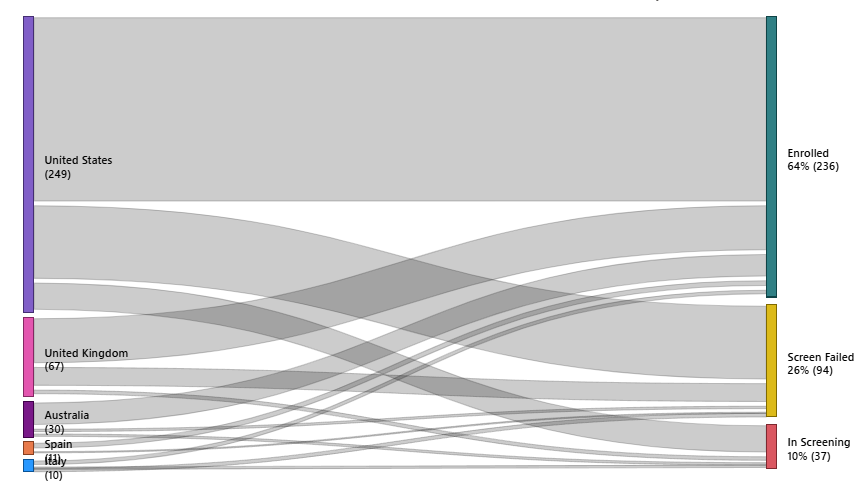
Our clinical trial reporting suite uses Sankey diagrams to follow patients through a study.
- Patient Disposition — tracks patient flow through study phases (enrolled, active, discontinued and completed) in a single view.
- Country – Enrollment Flow — shows enrollment flows by country, site and study arm, revealing which regions drive enrollment and where gaps exist.
Your questions answered
How do I get the PowerGraph Sankey visual?
Get it on Microsoft Marketplace, or request a free trial.
Is it compatible with all versions of Power BI?
It works with all up-to-date versions of Power BI that support custom visuals. Keep Power BI updated to the latest version for the best performance.
What support is available?
We support users by email at success@powergraph.com.
Can I customize it to fit my needs?
Yes. You can set node and flow sorting, labeling and color schemes to suit your requirements.
Does it support dynamic filtering?
Yes. With properly modeled data, the Sankey supports dynamic filtering so you can explore your data interactively.
How can I give feedback or suggest a feature?
Use our contact page or email success@powergraph.com. Your input helps us improve our products.
Elevate your data analysis with PowerGraph Sankey
Start a free trial, or book a consultation and we'll help you get the most from your flow data.