
PowerGraph Task Board for Power BI
Your project's visual command center: an agile, card-based view of tasks, issues and work items, right inside Power BI.
What it does for your team
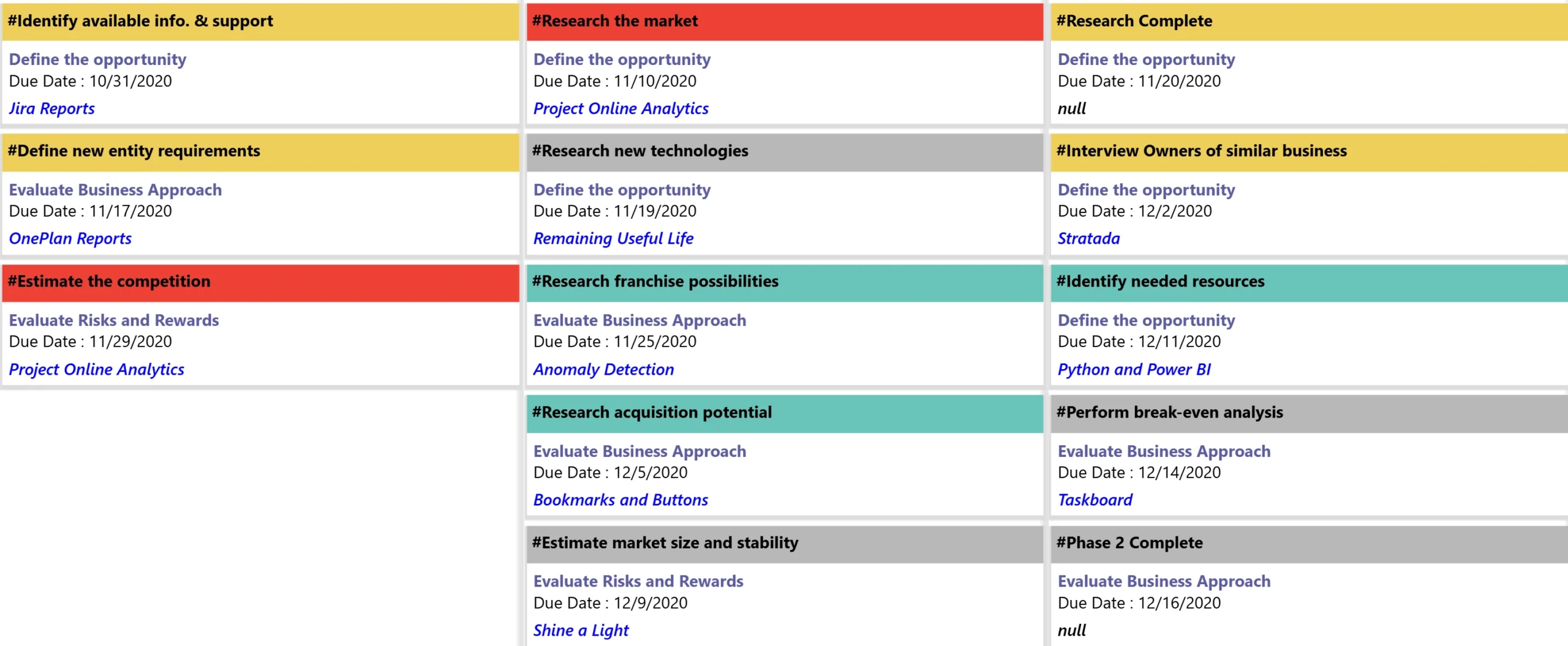
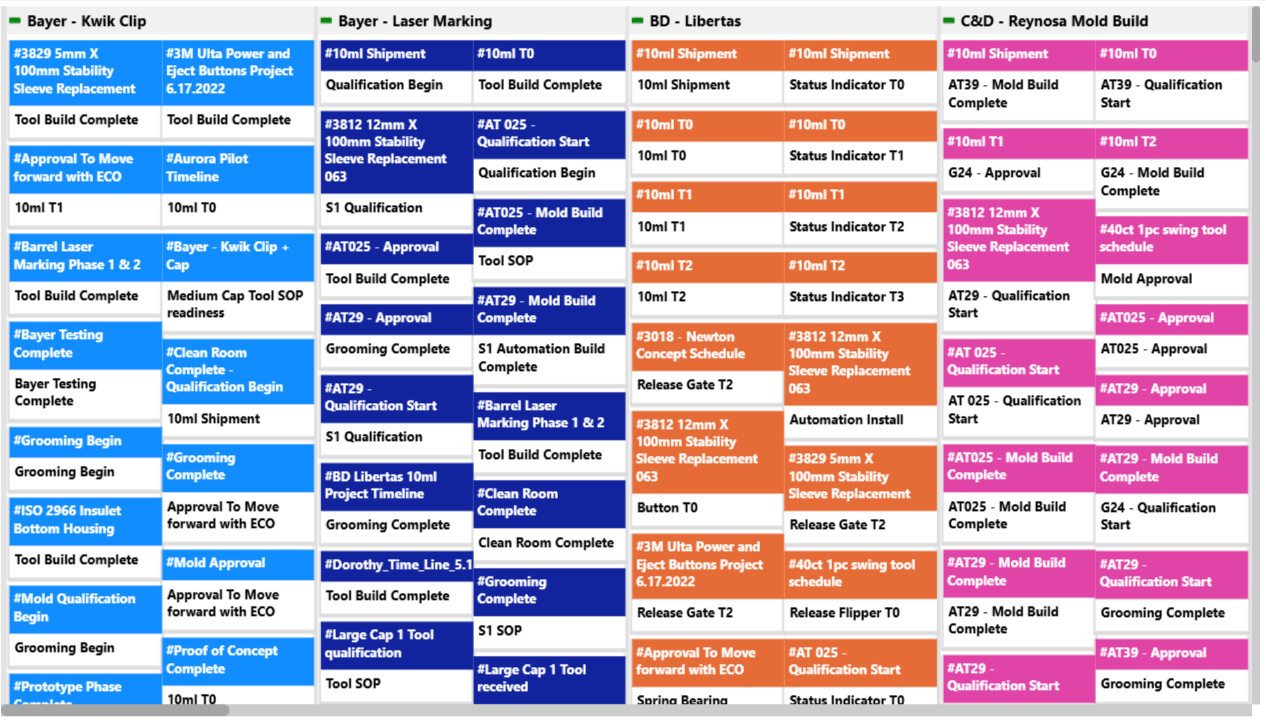
The PowerGraph Task Board is a Kanban-style custom visual for Power BI. It turns complex work data into a clear board, so every task is accounted for and progress is visible at a glance.
See progress at a glance
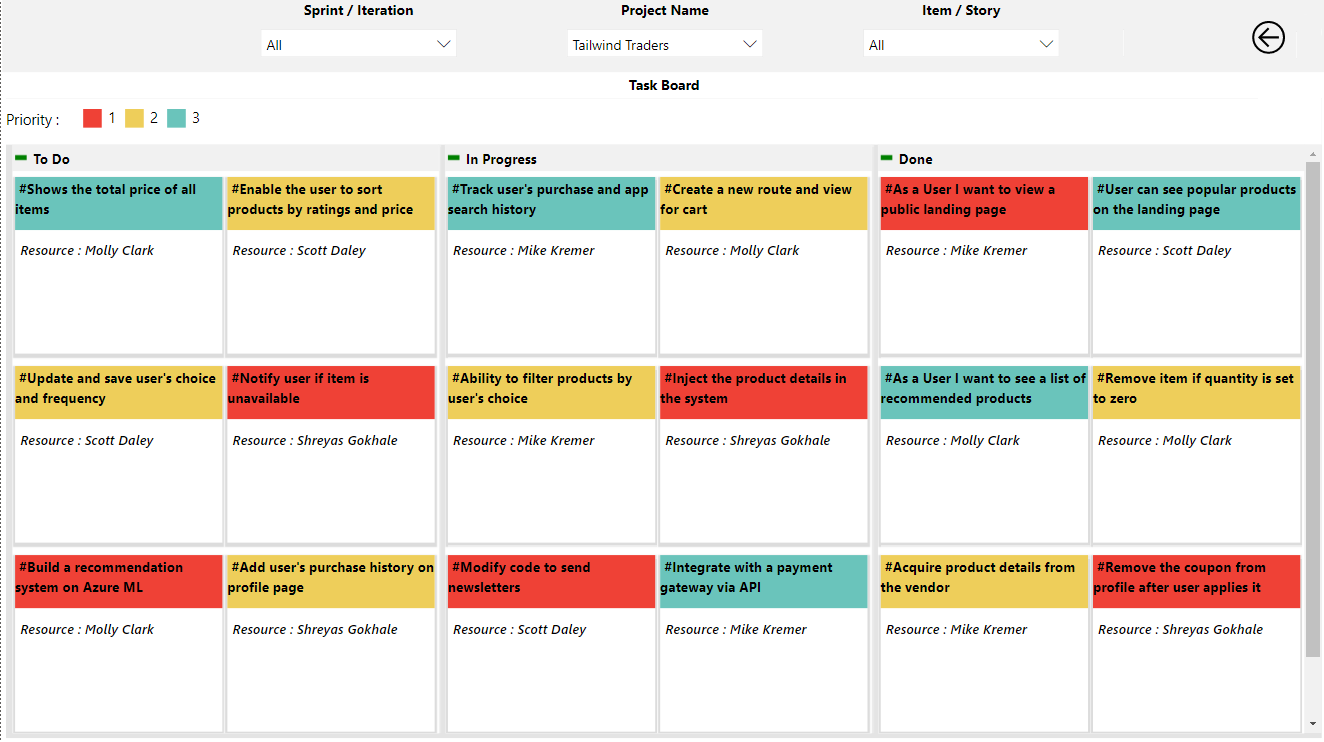
Lay out your workflow as cards and columns so the team can see what is moving and what is stuck.
Account for every task
Bring tasks, issues and work items into one board, from one project or many.
Turn data into decisions
Simplify complex work data into clear, actionable insight for informed decisions.
Work the way you already do
Support agile and Kanban practices inside the Power BI reports your team already uses.
Key features
-
Agile and Kanban interface
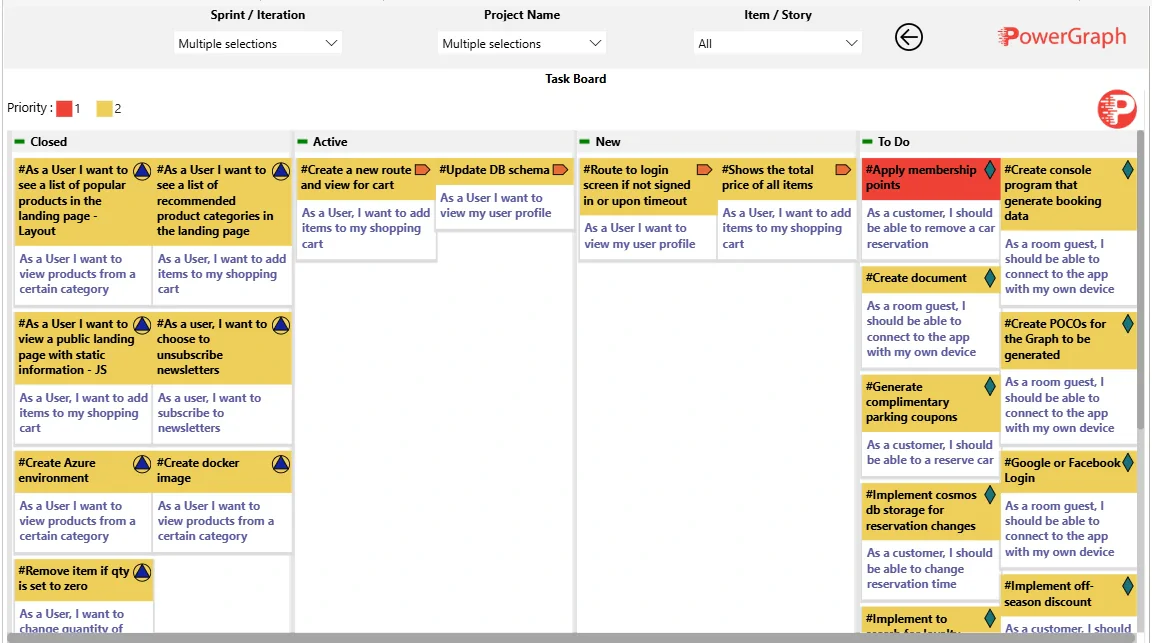
A card-based layout with customizable columns that supports agile methods and keeps tracking organized.
-
Broad data connectivity
Connect to work-management sources such as Azure DevOps, Jira and Microsoft Project.
-
Rich card customization
Show the task details that matter, with header colors and icons for visual categorization.
-

One board across projects
Show cards from a single project or from several projects at once.
Setting it up? Read the Task Board user guide
Built into our clinical trial reporting

Our clinical trial reporting suite includes a task board for tracking study start-up.
- Site Activation Task Board — monitors site activation progress milestone by milestone, so bottlenecks show up and activations stay on schedule.
Ready to transform your data?
Start a free trial of the Task Board, or book a consultation and we'll help you set it up. Every trial includes a complimentary one-hour virtual consulting session.