
Power BI Report Pack For Azure DevOps
Microsoft Azure DevOps is designed to support all phases of software development projects. Business leaders need insights into the work being managed in DevOps, and the PowerGraph report pack can fill that need.
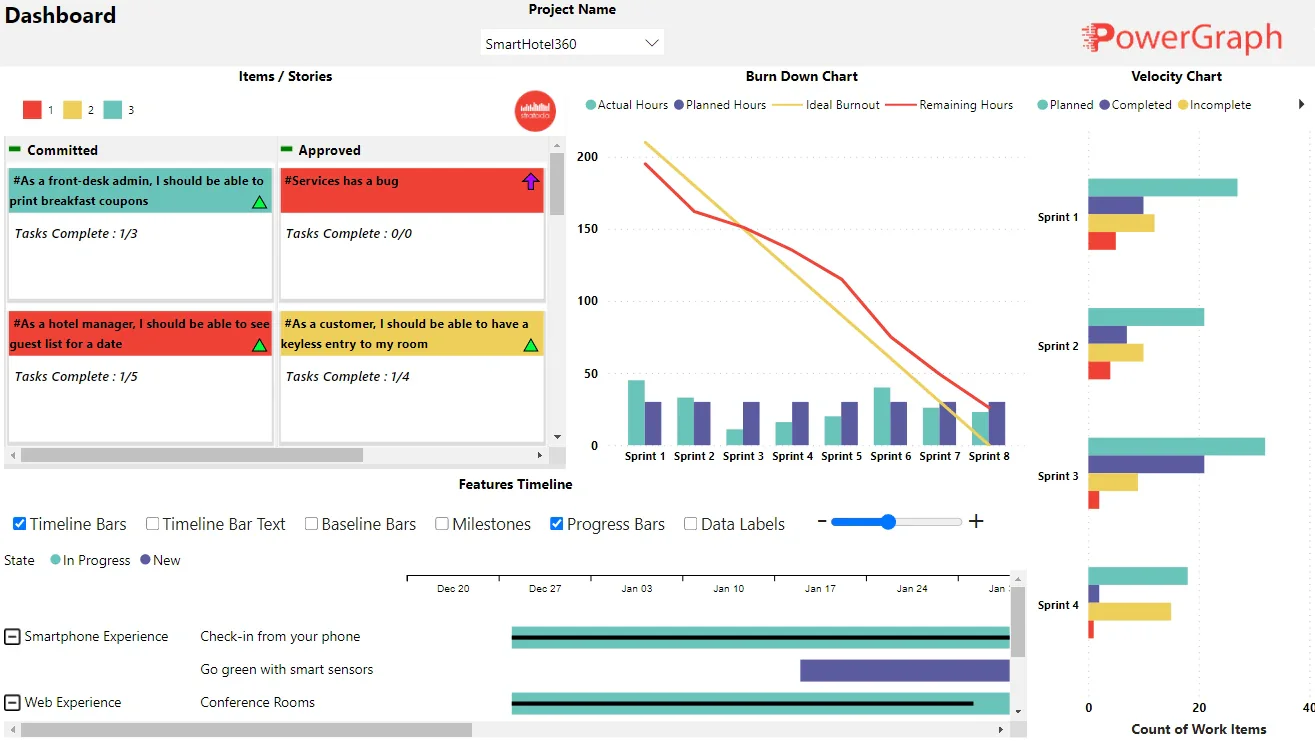
Azure DevOps report pack Overview
Because of its great flexibility, DevOps is now being used as an agile work management system for many kinds of projects - not just software. The PowerGraph Program Task Board and Timeline visuals are the highlights of these reports, but many more metrics are analyzed with other types of visuals.
Azure DevOps Dashboard
The dashboard report for Azure DevOps enables high-level insight into the various work metrics managed. This view is useful for senior leaders, stakeholders and managers. Drill through from this view to see more details like the reports below.
PowerGraph Timeline

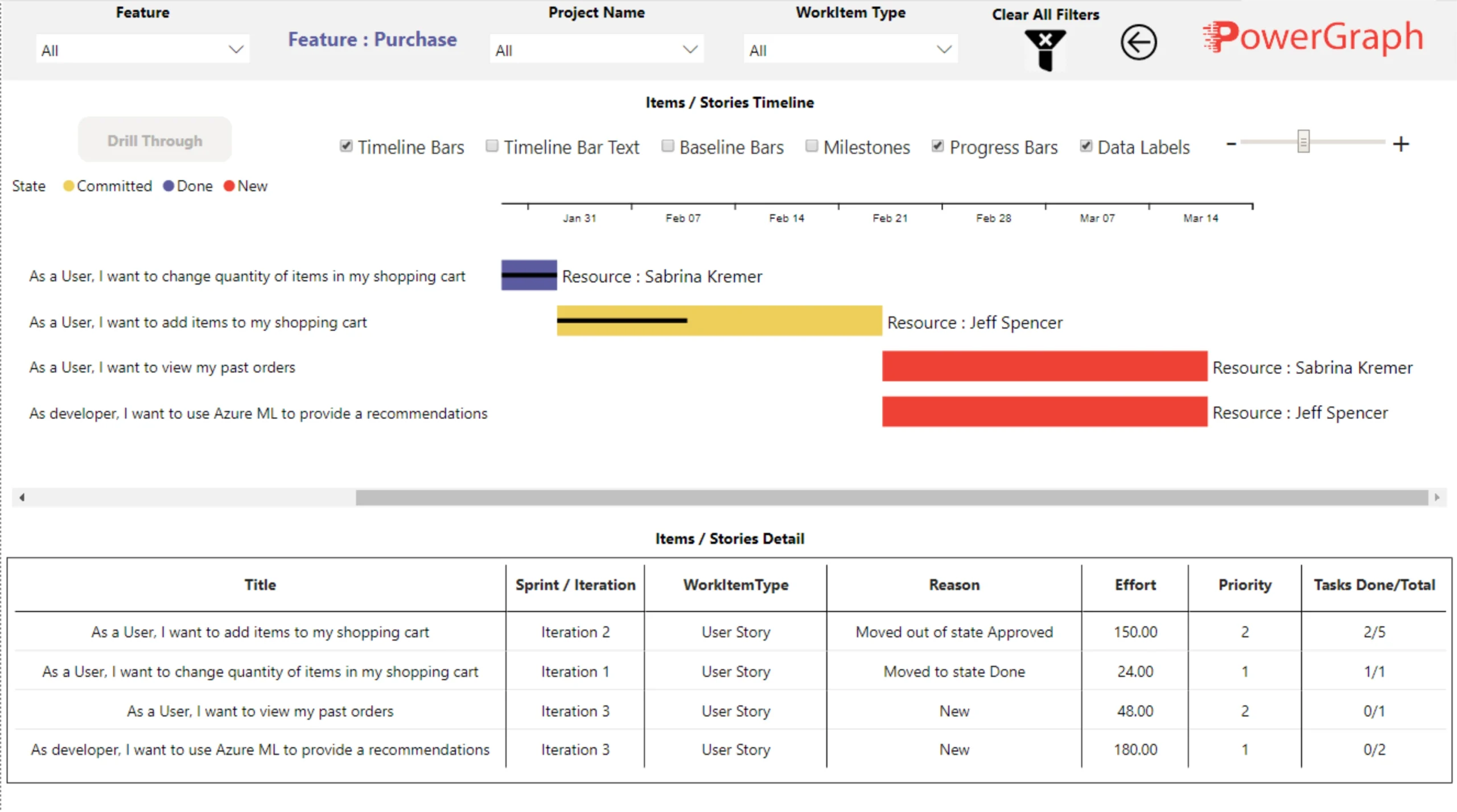
The PowerGraph Timeline visual can be configured to show work items at the feature level, and then drill through to see the underlying items or stories.
PowerGraph Taskboard

Look at the task details within one or many projects, sprints or even stories. Categorize cards by color and by icons. Add up to three different text fields in the card body. Create a few or many buckets, and drag-and-drop to change the bucket order.
features
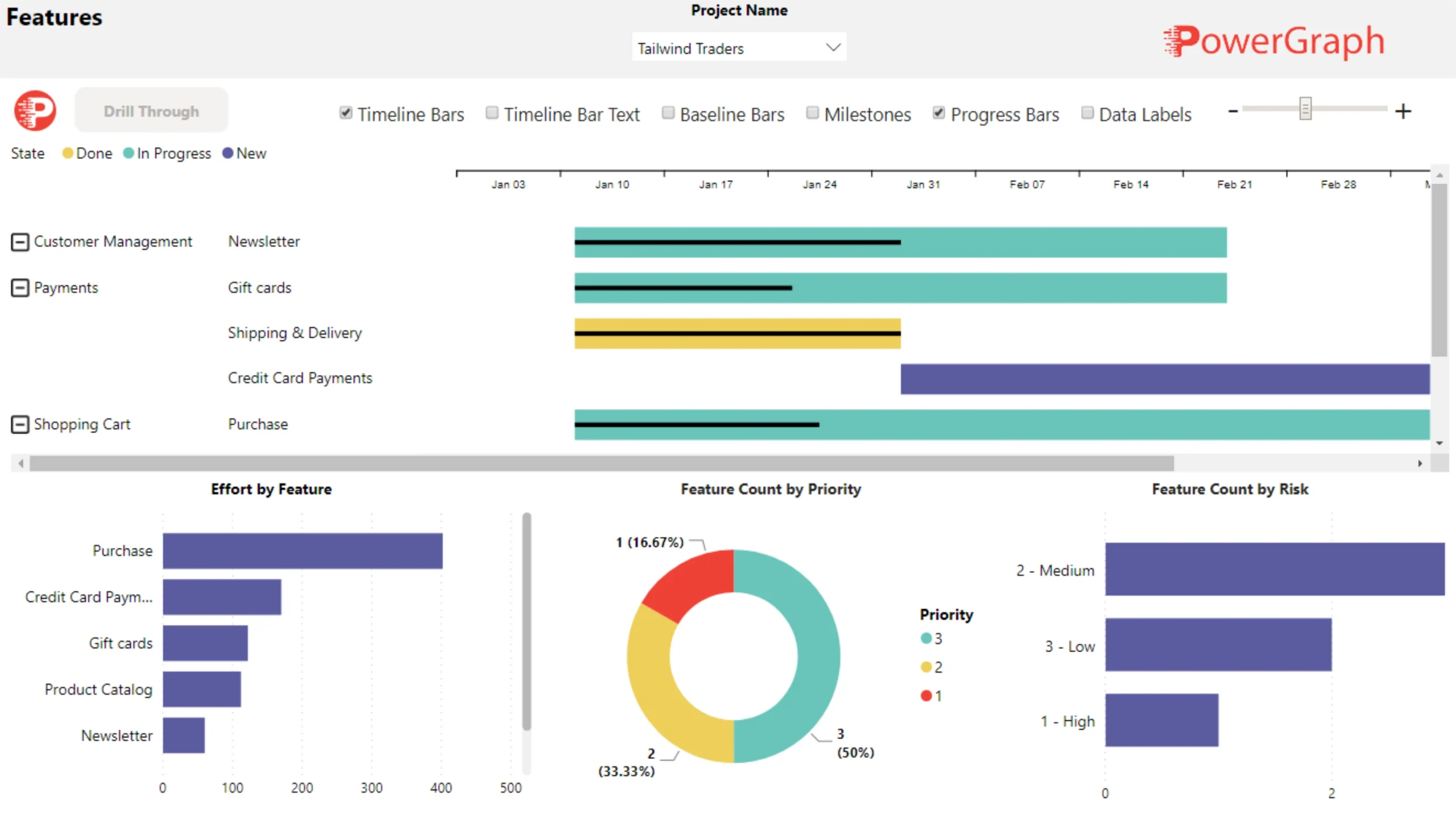
The Features report shows Timeline with progress by categorized feature, plus metrics like effort, priority and risk. Drill through from this report to a specific feature for more details.
Items and Stories
Within a specific feature, see details about user stories and items including a Timeline and tabular data.
View Azure DevOps live reports!
Developing reports and dashboards is both an art and a science. We put deep thought into our report packs so as to deliver a highly valuable product that is both insightful and elegant.