
Power BI Report Pack For Jira
Jira is a core work management application for many businesses. Utilize the PowerGraph Jira report pack, including our Taskboard and Timeline visual to gain better insight into your ongoing strategic initiatives.
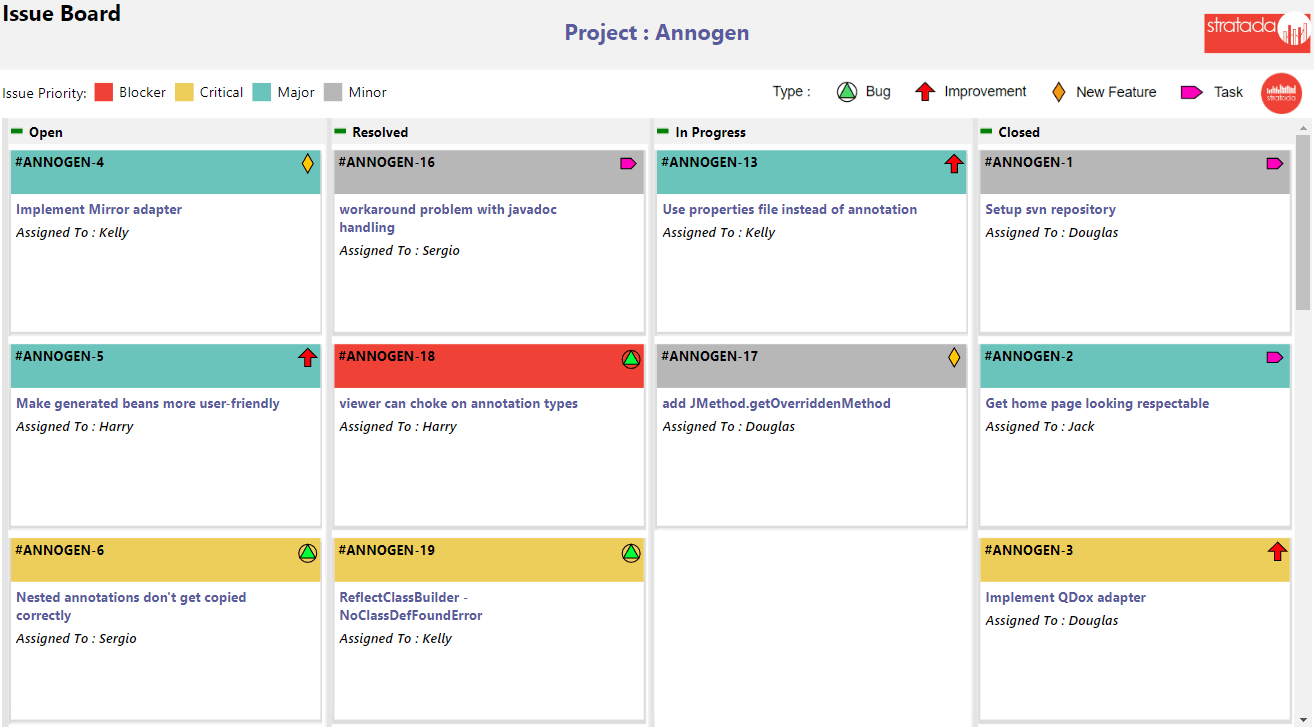
Jira Report Pack Features Overview
Jira provides a great platform for managing agile work of all kinds. PowerGraph's Power BI report pack for Jira offers the ability for technical and non-technical stakeholders to get insight via the PowerGraph Program Task Board (showing cards from one or many projects), as well as schedule insight using the PowerGraph Timeline. Additionally many other related metrics are shown.
Task Board
See tasks in a Task Board layout from one or multiple projects. Color the card header by category, use icons to show another categorization on each card, and add up to three text fields in the card body. Drag-and-drop to change the bucket order.
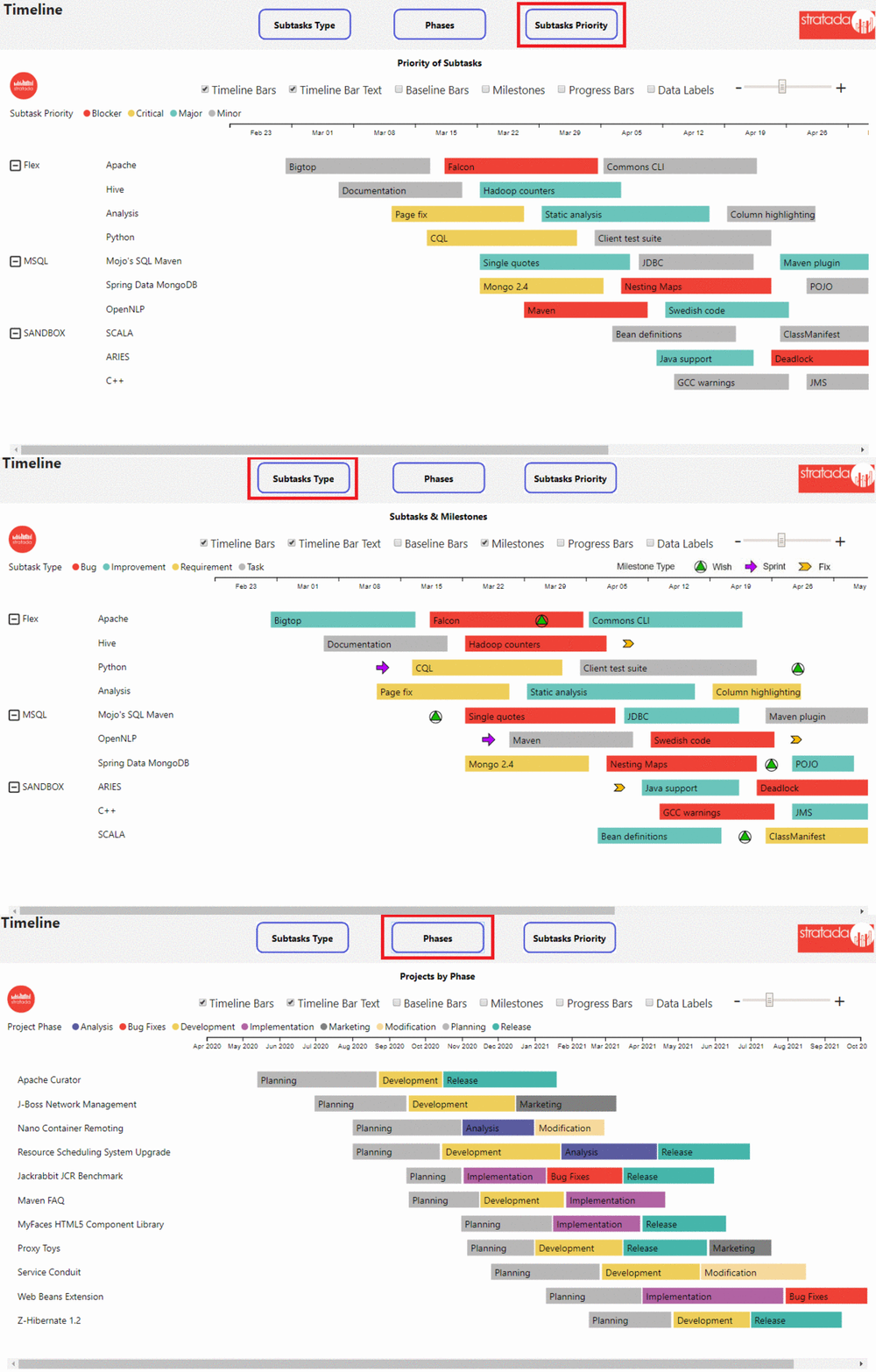
Timeline
The PowerGraph Timeline custom visual is a great way to see the timing of phases or sprints, organized in various ways. Milestones show key project dates for various categories.
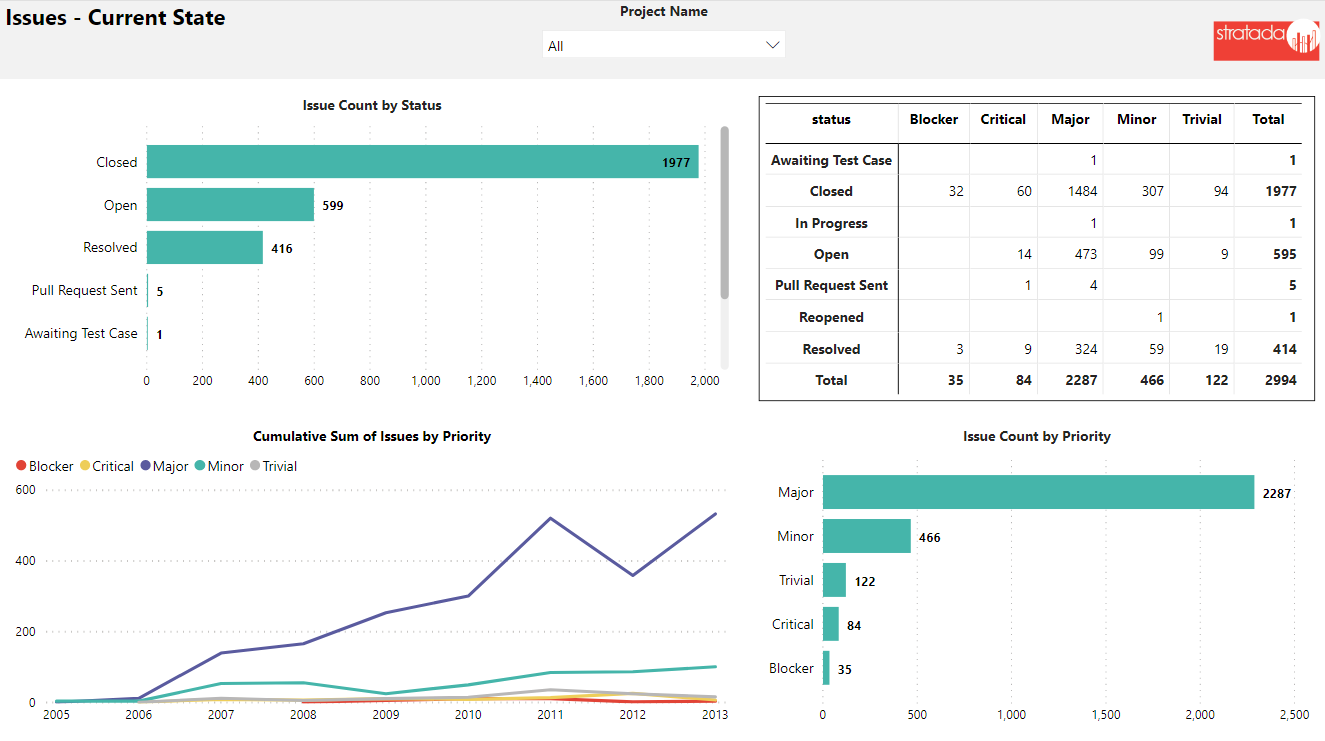
Issues
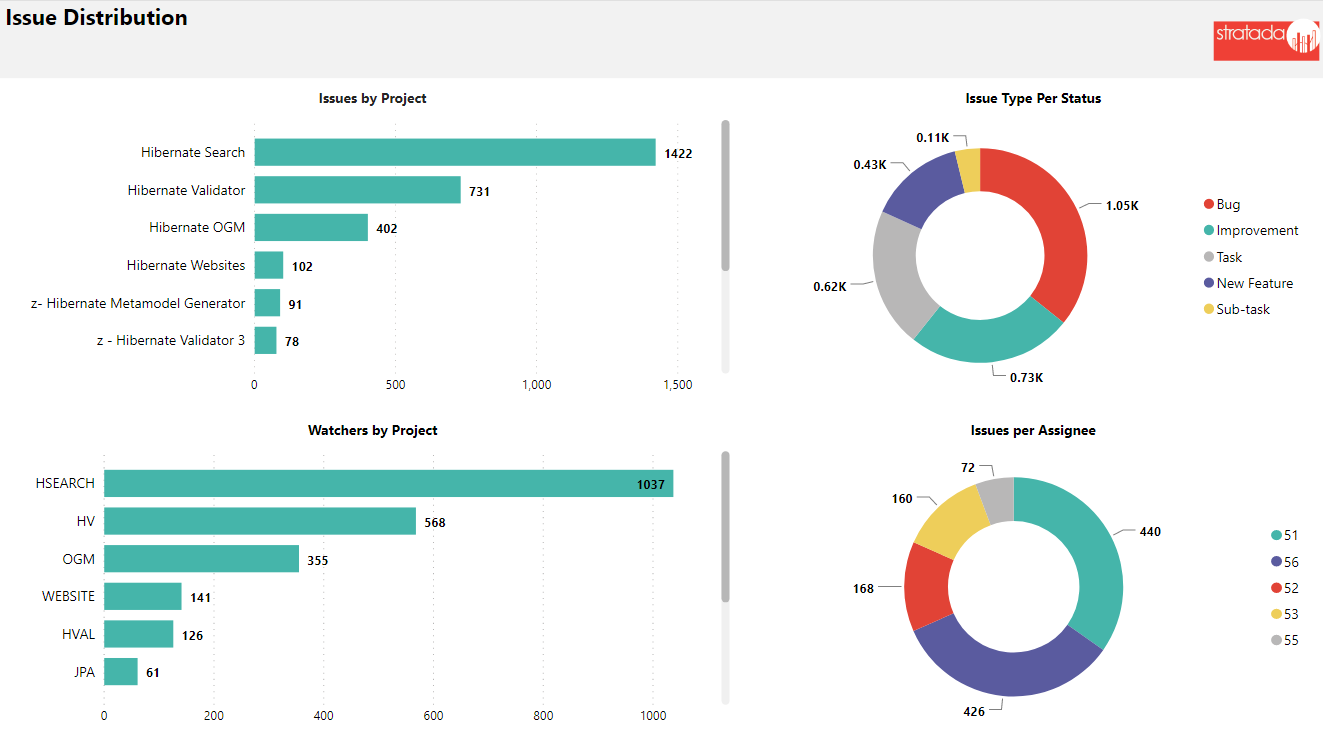
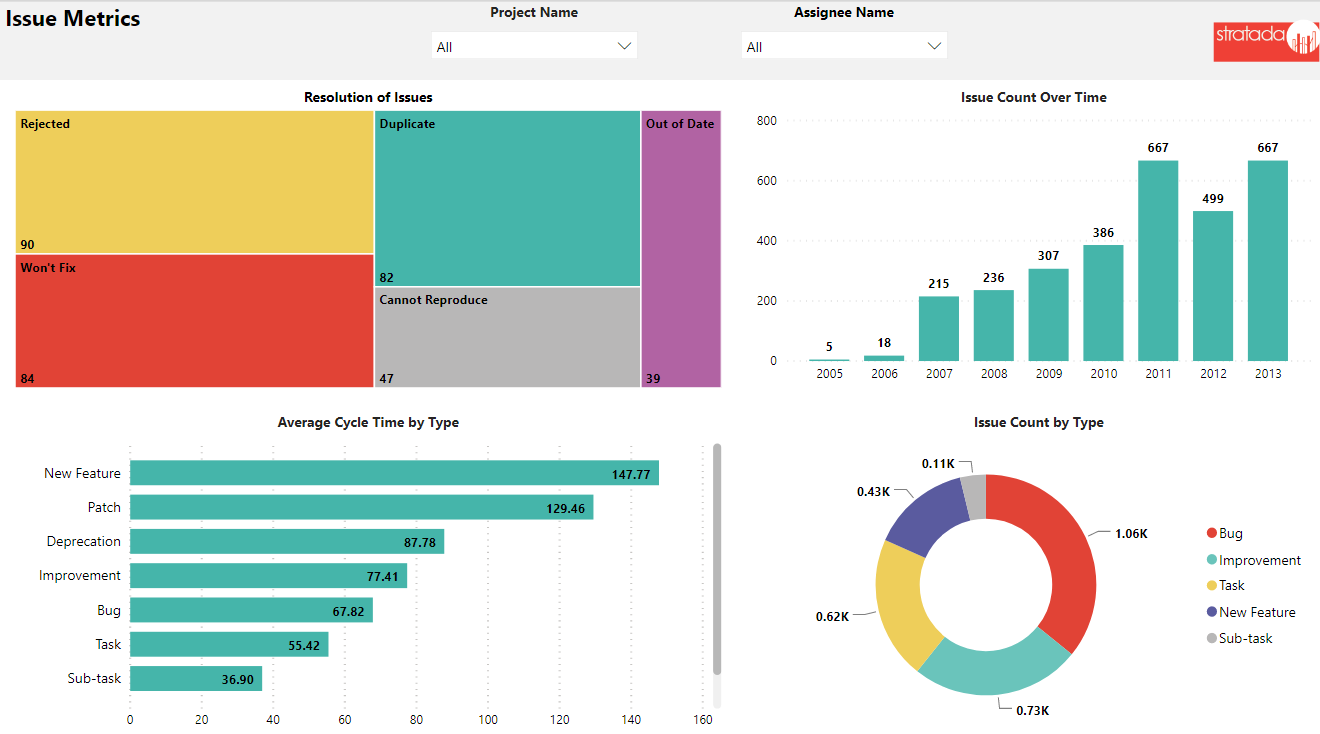
The issues report shows information about status, priority and other metrics. Tracking changes to these metrics over time gives insight into trends and help predict delivery dates, quality and resource demand.
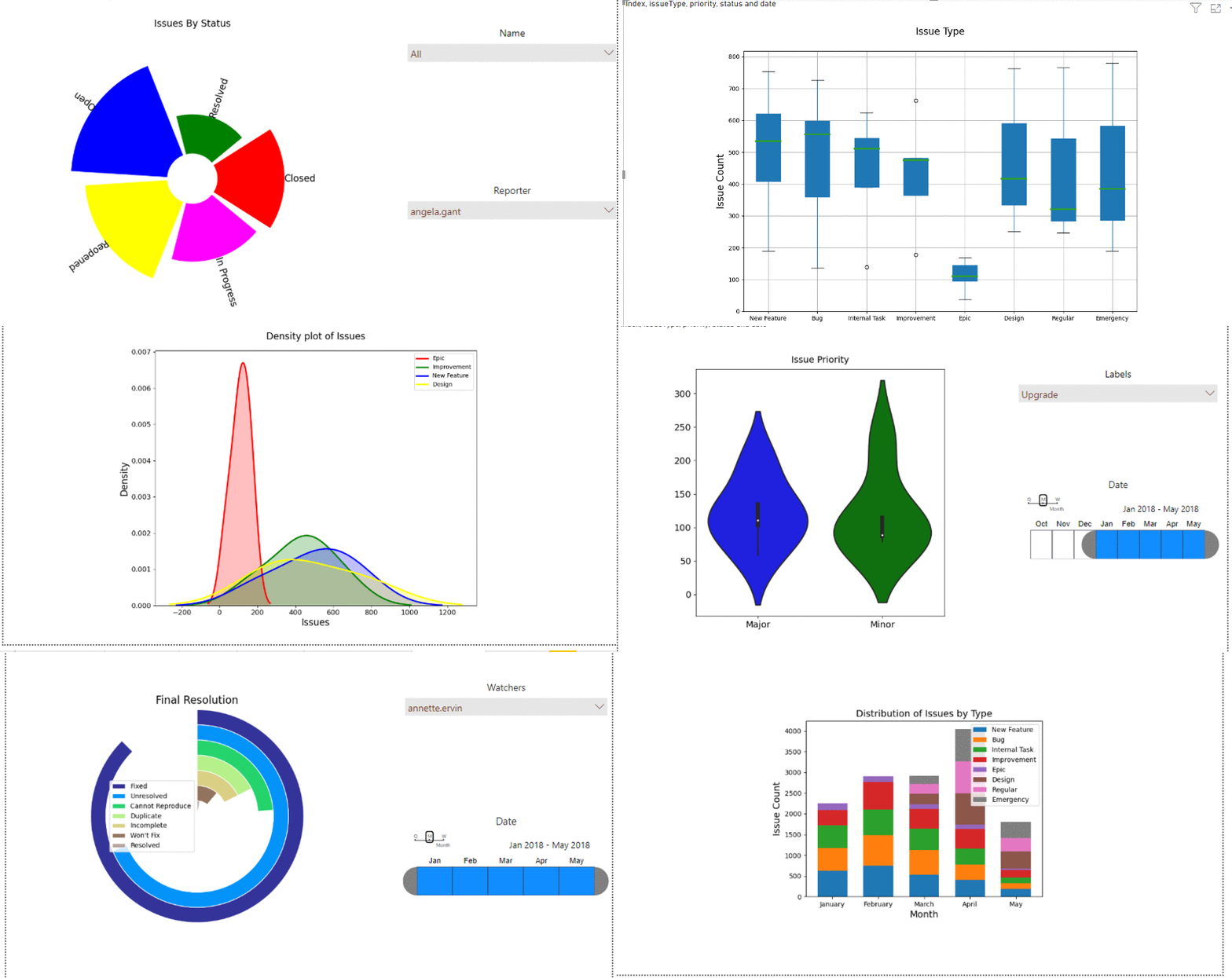
Advanced Analytics with Python in Power BI
Utilizing Python in Power BI opens up many new ways to analyze data. Here we see radial bar chart, box plot, density plot, violin plot, donut chart, and stacked bar chart - all created in Python but displayed in Power BI.
View Jira live reports!
Developing reports and dashboards is both an art and a science. We put deep thought into our report packs so as to deliver a highly valuable product that is both insightful and elegant.